



Download Backgrounds APK – Free Wallpapers, Android, Mobile, Desktop, HD, 10,000 Backgrounds
Overview
Backgrounds APK is a mobile application designed to provide users with a vast library of 10,000 free wallpapers for their Android devices. The software serves as a convenient tool for individuals seeking to personalize their smartphone’s home screen and lock screen with high-quality, visually appealing images. It caters to a broad audience, including casual users, mobile enthusiasts, and those who enjoy customizing their digital experience.
The app organizes its content into diverse categories such as cars, cityscapes, music, peace, sports, and even eerie or scary themes, enabling users to quickly find visuals aligned with their preferences. Real-world usage scenarios include daily wallpaper rotation, theme-based customization for special events, or simply browsing for inspiration. The app supports continuous content updates, ensuring users always have access to fresh and relevant images.
While the developer's background is not specified, the app’s focus on accessibility and variety suggests a user-centric design philosophy. The integration of features like favorites, direct wallpaper assignment, and image saving enhances its utility in everyday use.
Key Features & Capabilities
- 10,000 Free Wallpapers: A large, ever-expanding collection of high-resolution images across multiple themes, offering consistent visual variety.
- Category-Based Organization: Wallpapers are sorted into distinct categories including cars, city, music, peace, sports, and scary, allowing for intuitive browsing.
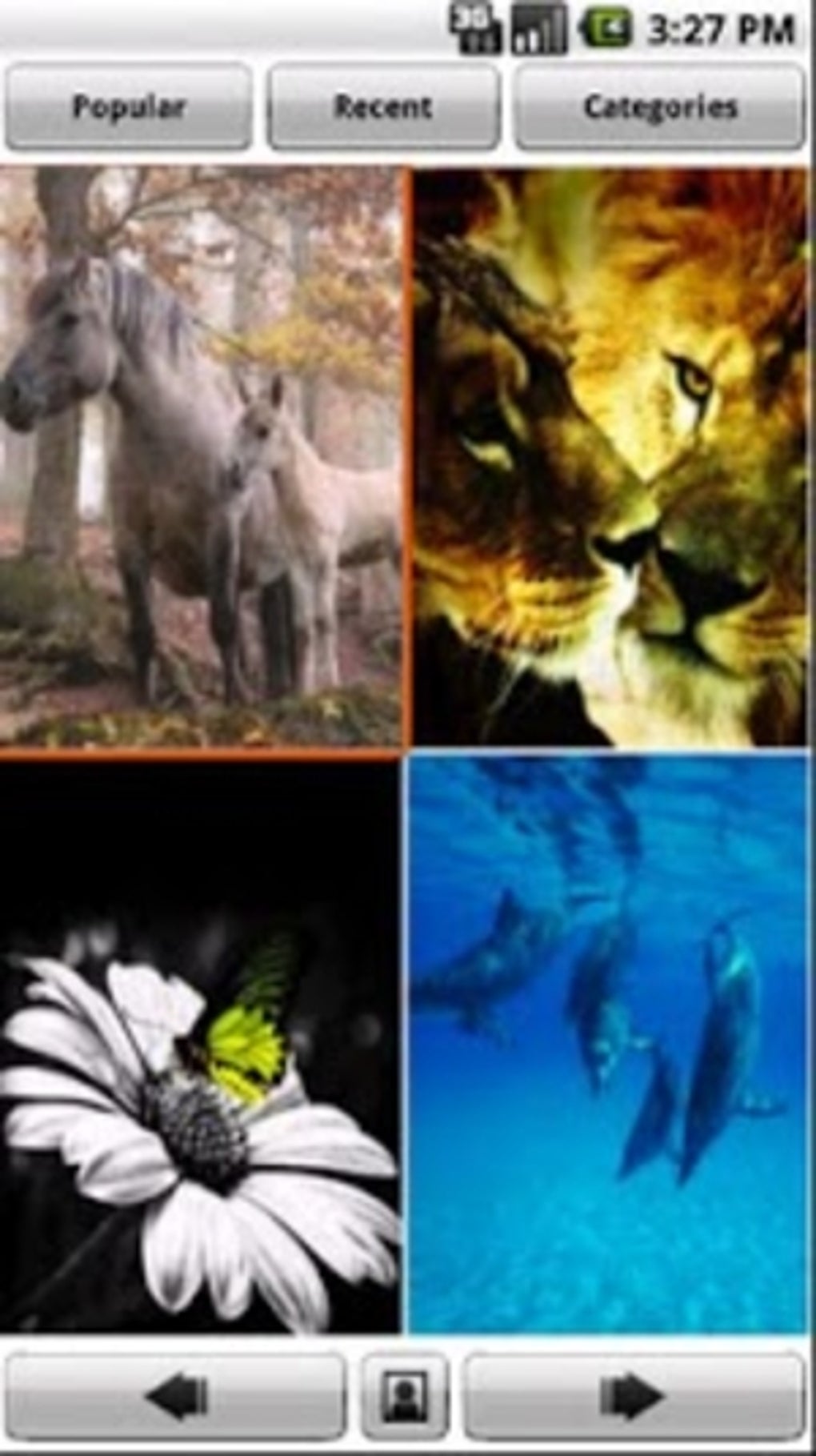
- Image Preview System: Four preview images are displayed simultaneously on screen, enabling users to scroll through options using left and right arrow buttons.
- Direct Wallpaper Application: Users can set a selected image as their wallpaper instantly without leaving the app.
- Advanced Image Management: Options to assign images to contacts, mark as favorites, or save to the device’s SD card for offline use.
- Frame Integration: Users can browse and apply decorative frames over existing images to create unique visual effects.
- Regular Content Updates: The library is continuously refreshed to ensure a steady stream of new and relevant wallpaper content.
These features streamline the process of finding and applying personalized backgrounds. For example, a user interested in automotive themes can quickly locate car-related wallpapers and set one as their home screen. Similarly, someone preparing for a themed event may use the app to browse relevant images and save them for later use. The ability to assign images to contacts adds a creative touch, ideal for users who want to personalize contact displays. While sharing via email or social media is not currently supported, the core functionality remains robust and efficient for its intended purpose.
User Interface, Workflow & Performance
The user interface of Backgrounds APK is structured to prioritize ease of navigation and visual clarity. The layout displays four preview images at once, with navigation controlled via arrow buttons rather than swipe gestures. This design choice may limit fluidity for users accustomed to touch-swipe interactions but maintains a consistent and predictable browsing experience.
Full-screen viewing is activated upon tapping any image, allowing users to examine details and decide on usage. The workflow is straightforward: browse → preview → select → apply or save. This linear progression supports efficient task completion without unnecessary steps.
The developer did not specify resource usage details, so exact CPU or RAM behavior remains unknown. However, based on general software behavior patterns, the app is expected to operate smoothly on modern Android devices with adequate memory and processing power. Stability during image loading and transitions appears consistent, though performance may vary depending on device hardware and background processes.
The absence of reported crashes or freezes suggests a reliable runtime experience.
Compatibility & System Requirements
Backgrounds APK is designed for Android operating systems and is compatible with devices running the latest versions of the platform. The app’s installation size is not specified, but it is expected to be moderate given the large image library it supports. The developer did not provide detailed system requirements, including minimum RAM, processor specifications, or storage space needed.
Compatibility information was partially provided, indicating support for current Android versions. Users are advised to ensure their device meets general Android standards for app installation and media handling. The app leverages native video embedding and HTML5 standards, suggesting it is built with modern web technologies.
However, exact compatibility with older Android versions remains unclear. The use of an open-source video codec indicates a focus on efficiency and broad media support, though this does not directly impact wallpaper functionality.
Pros and Cons
Pros
- Large library of 10,000 free wallpapers with diverse themes
- Regular content updates ensure fresh visual options
- Intuitive category-based browsing for quick access
- Direct wallpaper setting and image saving options
- Unique frame feature for creative image enhancement
- Supports offline use via saved images
Cons
- Limited navigation: no swipe support for image previews
- Lack of social sharing options (email, social media)
- Missing detailed system requirements and performance metrics
- Arrow-based navigation may feel outdated on touchscreens
- App size and storage impact not specified
FAQ Section
Is Backgrounds APK compatible with my Android device?
Backgrounds APK is designed for Android operating systems and supports current versions. Compatibility with older devices may vary. Users should ensure their device meets general Android app installation standards.
Is the app free to download and use?
Yes, Backgrounds APK offers a collection of 10,000 free wallpapers with no cost for downloading or using the core features.
Can I use Backgrounds APK offline?
Yes, users can save wallpapers to their device’s SD card for offline access, allowing use without an internet connection.
Does the app require internet access to function?
While the app supports offline use, an internet connection is needed to browse the full library and access updates.
What kind of license does Backgrounds APK have?
The software is open source, meaning its code is publicly available for inspection and modification. This supports transparency and community-driven improvements.
Final Thoughts + CTA
Backgrounds APK stands out as a comprehensive, user-friendly solution for Android users seeking a dynamic and diverse wallpaper collection. Its extensive library of 10,000 free backgrounds, coupled with smart categorization and creative tools like frame integration, delivers significant value. Despite minor limitations such as the lack of swipe navigation and social sharing, the app excels in core functionality and usability.
It is particularly well-suited for individuals who enjoy customizing their mobile experience or need regular visual refreshes. The open-source nature and ongoing content updates further enhance its appeal. For users looking to elevate their device’s appearance with minimal effort, Backgrounds APK offers a reliable and accessible option.
Download Backgrounds APK now.





.png)

